
Most people assume building a stock picking algorithm requires a computer science degree, hours of Python debugging, and a server running 24/7 in the background. Ten years ago, that was true.
Today, it isn’t.
No-code platforms have made it possible to build, backtest, and deploy a fully automated stock picking strategy — without writing a single line of code. This guide walks you through exactly how to do it.
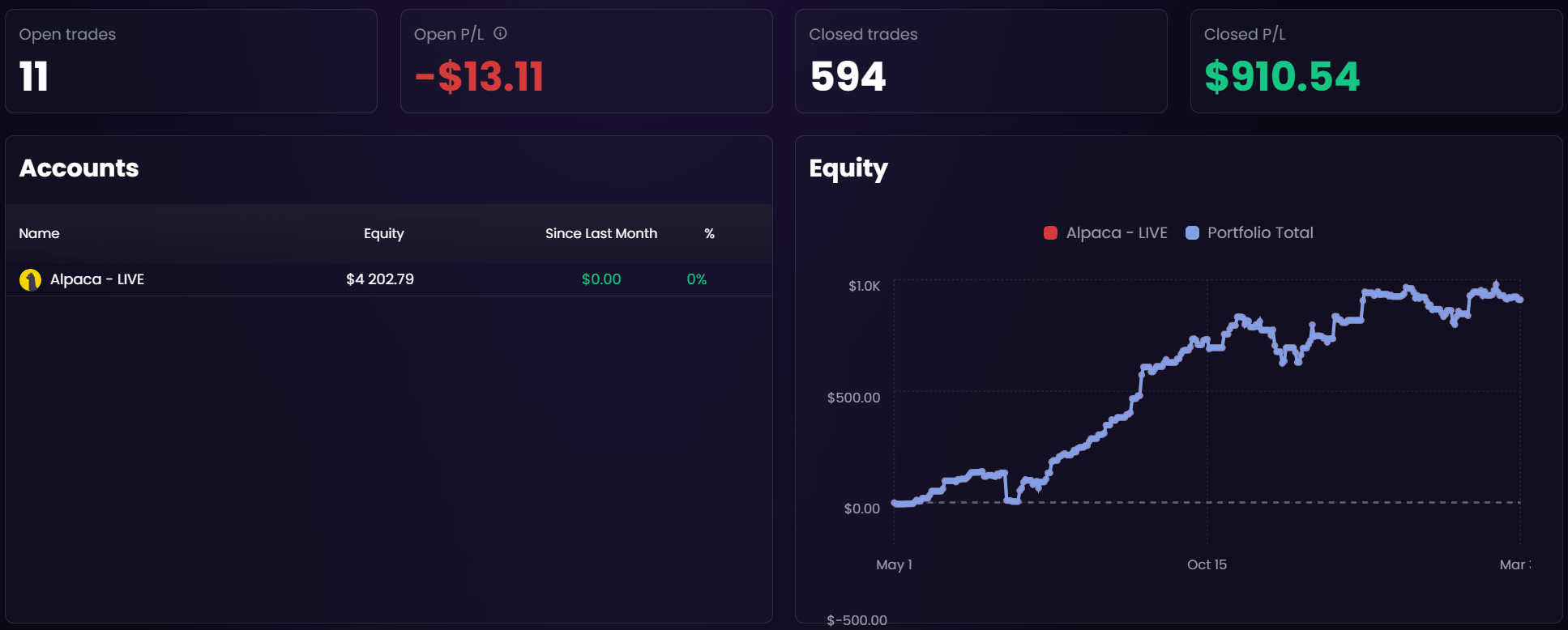
What Is a Stock Picking Algorithm?
A stock picking algorithm is a set of rules that automatically scans the market, filters stocks based on criteria you define, and selects candidates for your portfolio or trading strategy.
Think of it as a systematic version of what analysts do manually — except it runs in seconds, covers thousands of stocks, and doesn’t panic when the market drops 3% on a Tuesday.
One distinction worth making: a stock screener filters stocks based on criteria, but stops there. A stock picking algorithm goes further — it ranks candidates, sizes positions, triggers entries and exits, and executes trades automatically based on your rules.
Why You Don’t Need to Code Anymore
Algorithmic trading used to require three things most people don’t have: programming skills (Python or C++), a backtesting framework, and infrastructure to keep strategies running around the clock (VPS, server maintenance, updates).
That combination locked most retail traders out of algo trading entirely.
No-code platforms changed that. Instead of writing code, you define rules visually — choose indicators, set conditions, combine filters — and the platform handles everything else: execution, data, infrastructure.
Cloud-based platforms took it one step further. There’s nothing to install, no VPS to manage, no manual updates. Your strategy runs 24/7 whether your laptop is open or not.
How to Build Your First Stock Picking Algorithm in AlgoCloud
Step 1: Define Your Approach
Before touching any tool, decide what kind of stocks you’re looking for and how. The most common approaches:
- Momentum — buy stocks rising faster than the market, expecting the trend to continue
- Trend following — follow the direction of the trend and hold until it reverses
- Mean reversion — bet on a price returning to its average after a significant move
- Seasonal — exploit recurring patterns at specific times of the year
- Sector rotation — shift capital between sectors based on which one is leading
Pick one to start. You can always build more strategies later.
Step 2: Set Your Selection Rules
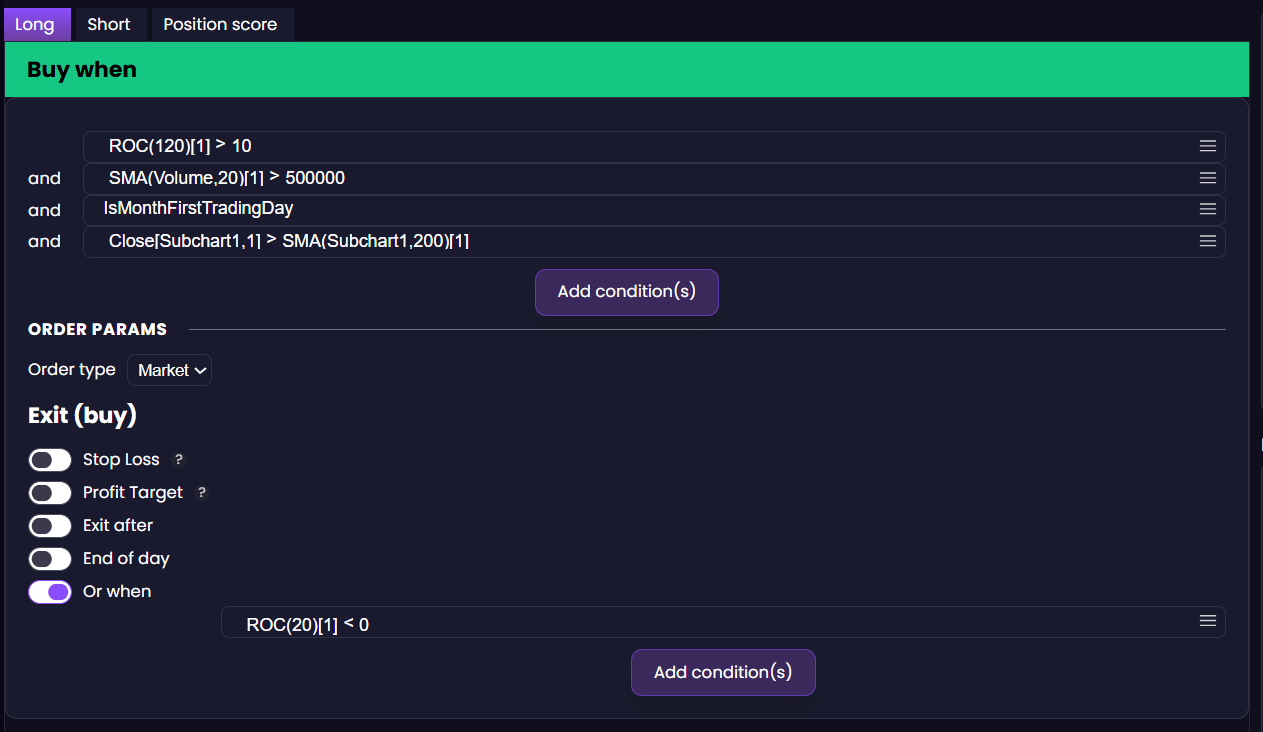
Open the strategy builder and define your filtering criteria. For a simple momentum strategy:
- Universe: S&P 500 stocks
- Setup: 6-month price return > 10%
- Filter volume: Average daily volume > 500,000 shares
- Filter trend: SPY > 200-daily Moving Average
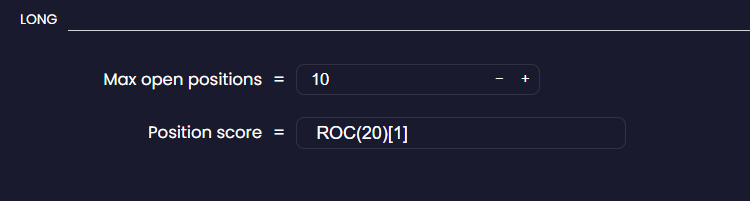
- Ranking: Sort by 6-month return, highest first
- Selection: Take top 10–20 stocks
You’re not writing any of this in code. You’re selecting indicators from a list and combining conditions with AND/OR logic.
Step 3: Backtest on 30+ Years of Historical Data
This is where most no-code tools fall short — and where data quality matters enormously.
AlgoCloud’s backtesting engine covers 3,000+ US stocks and ETFs with over 30 years of historical data. That means you can test your strategy through multiple full market cycles: the dot-com crash, the 2008 financial crisis, the COVID collapse, the 2022 bear market.
A strategy that only worked in a bull market isn’t a strategy — it’s luck.
Run your backtest and look at:
- Annual return — what did it average per year?
- Max drawdown — what was the worst peak-to-trough loss?
- Sharpe ratio — how much return per unit of risk?

Step 4: Optimize and Validate
Instead, use walk-forward testing: split your data into an in-sample period (for building) and an out-of-sample period (for validation). If the strategy holds up on data it’s never seen, you have something worth trading. Advanced robustness tests of this kind are not part of AlgoCloud — they’re done in StrategyQuant, which is purpose-built for algorithmic strategy development and validation.
Step 5: Deploy to Live Trading
Connecting to a live broker takes a few minutes. AlgoCloud integrates directly with Alpaca (free for US stocks), TradeStation, Interactive Brokers, and eToro.
Once connected, your strategy runs automatically in the cloud — scanning stocks, selecting positions, placing orders — on whatever schedule you’ve set. You don’t need to be at your computer.
Ready to See It in Action?
The step-by-step process above covers the mechanics. In the next article, we walk through two concrete stock picking strategies with real rule setups — so you can see exactly what it looks like in practice.
Libor Štěpán
AlgoCloud trader
Related Articles
- A Simple Breakout Strategy: Detailed Analysis – See a practical breakout strategy built step by step
- 7 Best Algorithmic Trading Platforms for Stock Picking (2026) – Compare all the top platforms
- Discretionary vs Algo Trading: Which Suits You? – Not sure if algo trading is right for you?