
AI Wizard — Build Strategies by Describing Them
Turn your trading idea into a ready-to-test strategy — powered by AI.
You have a trading idea. Maybe you’ve noticed sectors rotating, or certain stocks bouncing back after sharp selloffs. Normally, you’d spend hours dragging conditions around, hunting for the right indicator settings, and hoping you’ve wired the logic correctly.
AI Wizard in AlgoCloud takes a different approach. Describe your idea in plain language — and AI builds the strategy for you.
No coding. No complicated setup. Type what you want to trade, and AI handles the rest: entry rules, exit rules, filters, position ranking — everything assembled into a ready-to-test strategy within seconds.
What Is AI Wizard?
AI Wizard is a built-in AI assistant inside AlgoCloud that turns your trading ideas — written in plain language — into fully functional strategies for US stocks and ETFs.
Think of it as a conversation with an experienced quant developer. You tell them what you want, and they translate your words into specific trading rules: which indicators to use, what entry and exit conditions to set, how to filter stocks, and how to rank them when multiple candidates meet the criteria at once.
The result is a complete strategy you can immediately backtest, refine, or send to the visual editor for manual adjustments.
How Is It Different from a Regular Strategy Builder?
A traditional strategy builder requires you to know which building blocks to use and how to combine them. AI Wizard removes that barrier. You describe what you want — and AI figures out the how.
AI Wizard and the visual editor work together. The Wizard is the fastest way to get started. The editor gives you full control over every detail.
How Does It Work?
AI Wizard runs directly inside AlgoCloud — no external tools, plugins, or installations. It’s a chat interface where you communicate with AI in a simple conversation.
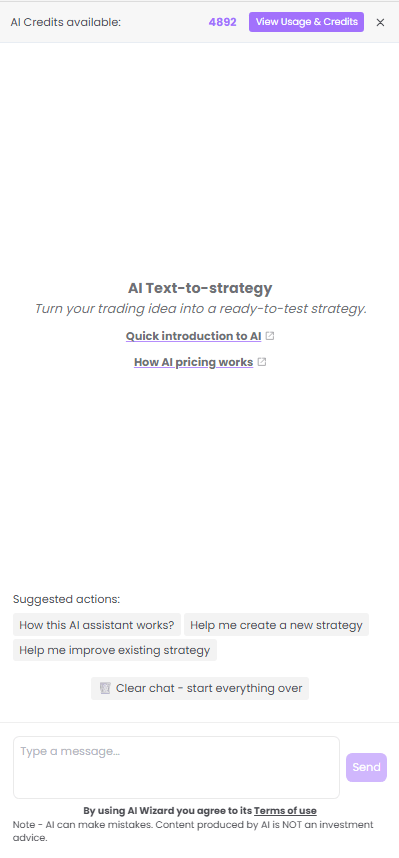
What You’ll See When You Open It
- AI Credits available — Your credit balance. For plans, visit AI Pricing.
- AI Text-to-strategy — “Turn your trading idea into a ready-to-test strategy”.
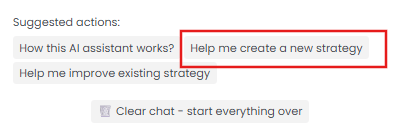
- Suggested actions — Quick-start options to create or improve strategies.
- Text field — Type your prompt and click Send.
Step by Step: S&P 500 Breakout Strategy
Let’s walk through a real example — from the first prompt through backtesting to improvement with a SPY trend filter.
Step 1: Open AI Wizard
Click the purple AI Wizard button on the right side of the editor toolbar.

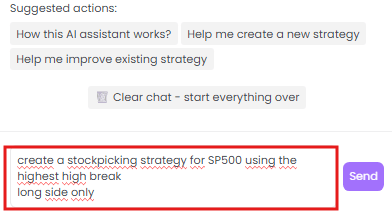
Step 2: Describe Your Strategy
“create a stockpicking strategy for SP500 using the highest high break, long side only”
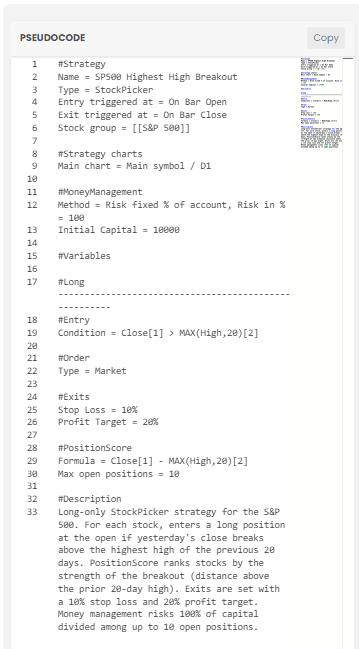
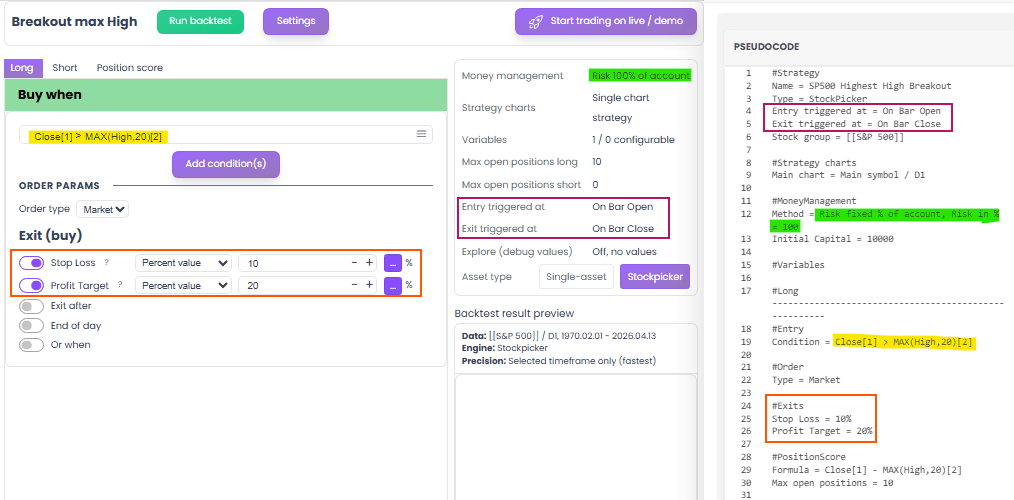
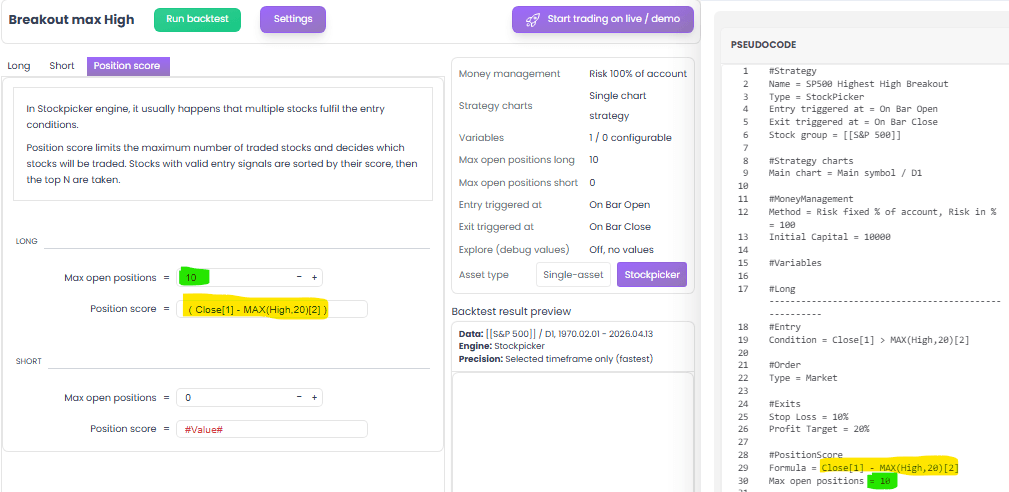
Step 3: Review the Generated Strategy
- Name: SP500 Highest High Breakout
- Entry:
Close[1] > MAX(High,20)[2] - Exit: Stop loss 10%, profit target 20%
- Ranking:
Close[1] - MAX(High,20)[2] - Money Management: 100% risk, $10K capital, max 10 positions
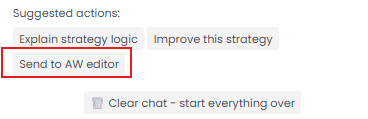
Step 4: Send to Editor and Run Backtest
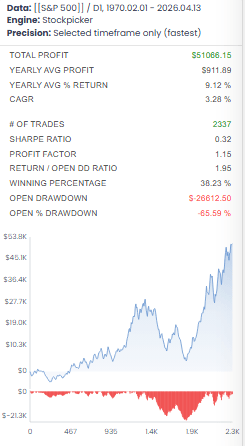
First backtest results:
| Metric | Value |
|---|---|
| Total profit | $51,068 |
| Annual return | 9.12% |
| CAGR | 3.28% |
| Trades | 2,337 |
| Sharpe | 0.32 |
| Profit factor | 1.15 |
| Win rate | 38.23% |
| Max DD | -65.59% |
Profitable, but -65.59% drawdown is too aggressive.
Step 5: Improve the Strategy
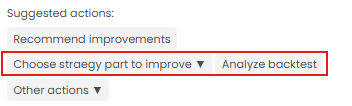
Recommend improvements → AI asks: Better profitability, Less trades, More trades, or Other actions.
Analyze backtest → AI suggests specific improvements:
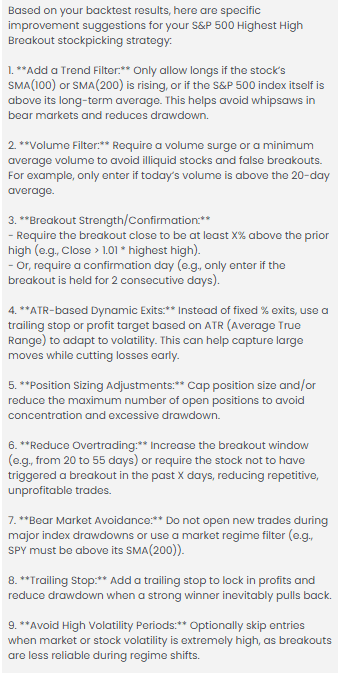
Add a market-wide trend filter:
“add trend filter on SPY”

Step 6: Send Improved Strategy and Retest
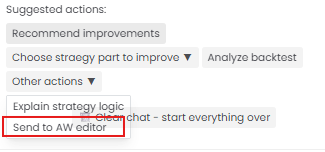
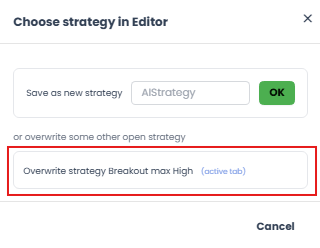
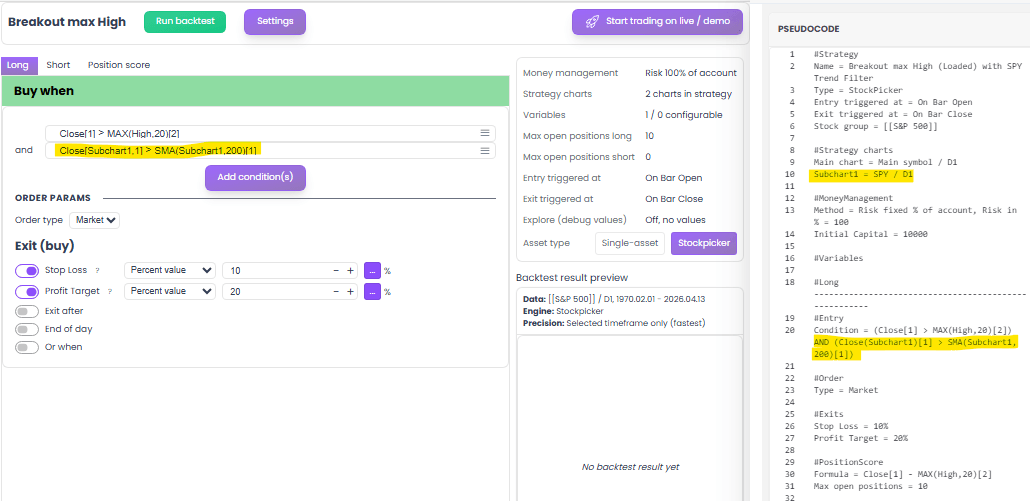
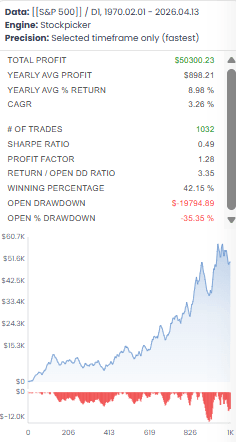
Results after SPY trend filter:
| Metric | Before | After | Change |
|---|---|---|---|
| Profit | $51,068 | $50,300 | -1.5% |
| Return | 9.12% | 8.98% | ~same |
| Trades | 2,337 | 1,032 | -56% |
| Sharpe | 0.32 | 0.49 | +53% |
| PF | 1.15 | 1.28 | +11% |
| Win rate | 38% | 42% | +4 pp |
| Max DD | -65.6% | -35.4% | -30 pp |
One filter cut drawdown in half, improved Sharpe by 53%, and kept total profit the same.
Creating a Strategy with the Guided Wizard
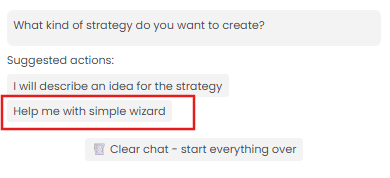
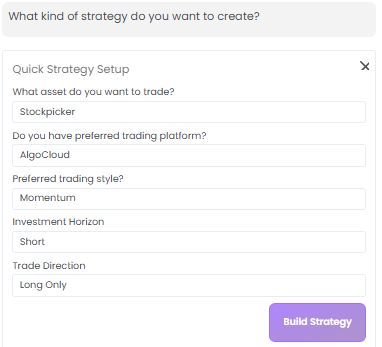
Quick Strategy Setup — select Asset, Trading style, Horizon, and Direction:
What Can You Do with AI Wizard?
1. Create a New Strategy from Scratch
- “Create a breakout strategy for S&P 500 with a trend filter on SPY.”
- “Mean reversion — buy after 8% weekly drop, 5% profit target.”
- “Nasdaq 100, RSI below 30 entry, above 70 exit.”
- “Momentum — top 10 by 6-month return, rebalance monthly.”
2. Improve an Existing Strategy
- “Add a trend filter on SPY.”
- “Add volatility filter — ATR above 2%.”
- “Change exit to trailing stop.”
- “Limit to 5 positions, rank by RSI.”
Tips for Best Results
Be specific. Give AI all the details — instrument, entry, exit, filters.
Start simple. 2–3 conditions first. Test. Iterate one step at a time.
Use backtest as feedback. Watch equity curve shape and drawdown periods.
Don’t over-optimize. 3–5 clear rules beat 15 finely tuned conditions.
Combine Wizard + Editor. Generate → backtest → fine-tune.
Summary
| Step | You do | Result |
|---|---|---|
| 1 | Describe idea | AI builds strategy |
| 2 | Review rules | Verify logic |
| 3 | Backtest | 30+ years of data |
| 4 | Ask AI to improve | Refine results |
| 5 | Send to editor | Fine-tune |
| 6 | Deploy live | Runs 24/7 |