
And here it is! In previous articles, we created several strategies together, tested them, compiled the first portfolio and set up money management. Now comes the moment of truth — deploying strategies on a demo account and seeing how they perform in real time. This step-by-step guide covers everything you need to know about deploying strategies on a demo account in AlgoCloud.
Which Brokers Support Deploying Strategies from AlgoCloud?
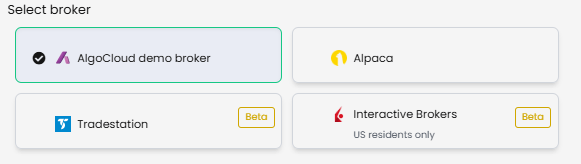
Before deploying strategies on a demo account, you need to know which brokers AlgoCloud currently supports:
- AlgoCloud demo
- Alpaca
- Trade Station (still in beta)
- Interactive Brokers (also in beta, only available to US residents)
In this guide, we will show you how to start deploying strategies on a demo account using both AlgoCloud demo and Alpaca. I don’t use Tradestation, and Interactive Brokers is for US traders only.
I have been working with the Alpaca account for two years now and have not encountered any problems so far. So I can recommend it with a clear conscience.
Deploying Strategies on a Demo Account: AlgoCloud Setup
The AlgoCloud demo account is a test account directly within the platform — it is not a real broker, but an excellent tool for simulating trading. Here’s how to set it up:
a) Log in to AlgoCloud
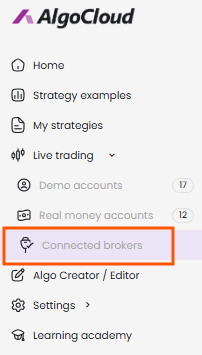
b) In the left menu choose Live trading → Connected brokers
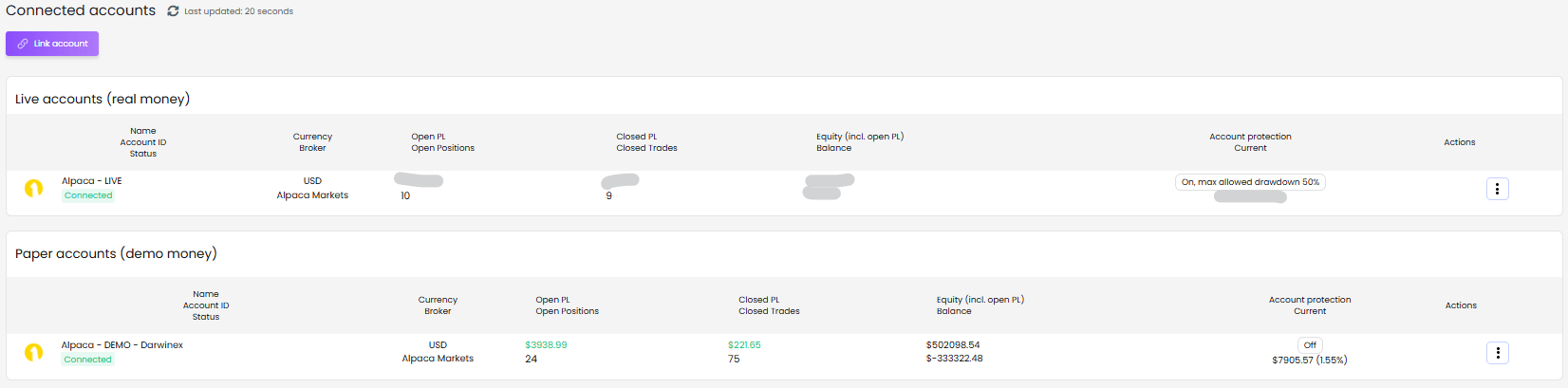
c) On the page with connected accounts, click on Link account
d) Select the AlgoCloud demo broker
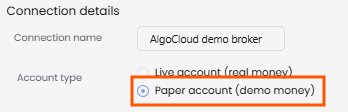
e) On the next page, select Paper account
f) Set up protection against drawdown — I recommend leaving 30%
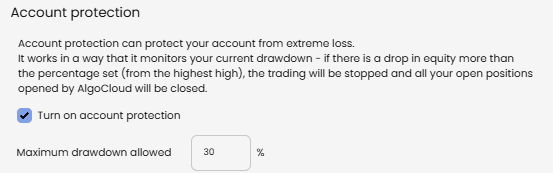
g) Confirm with the Submit button. The demo will be created with an initial capital of $100,000

Save Strategies to My Strategies Before Deploying
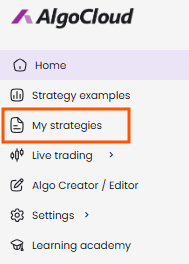
In order to start deploying strategies on a demo account, you need to have them saved in the My strategies folder.
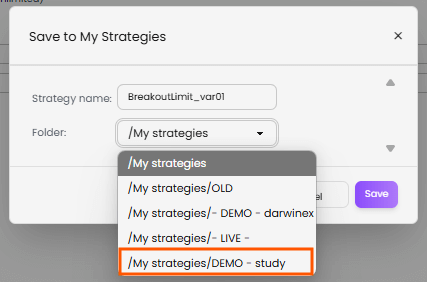
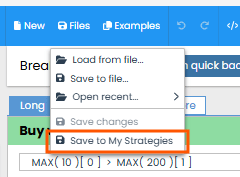
If you don’t see any strategy there, open the given strategy in AlgoWizard and save it in the selected folder (e.g. DEMO – Study).
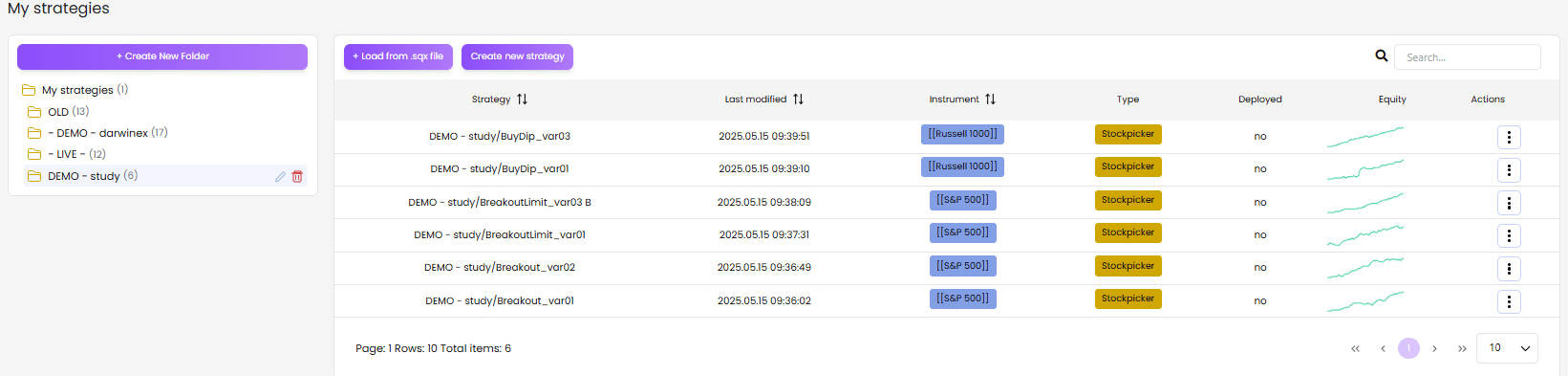
Step-by-Step: Deploying Strategies on a Demo Account
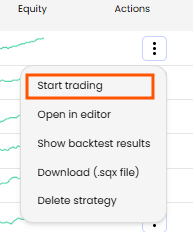
Once you have the strategy saved, deploying strategies on a demo account takes just a few clicks:
- Click on the three dots next to its name and choose Start trading.
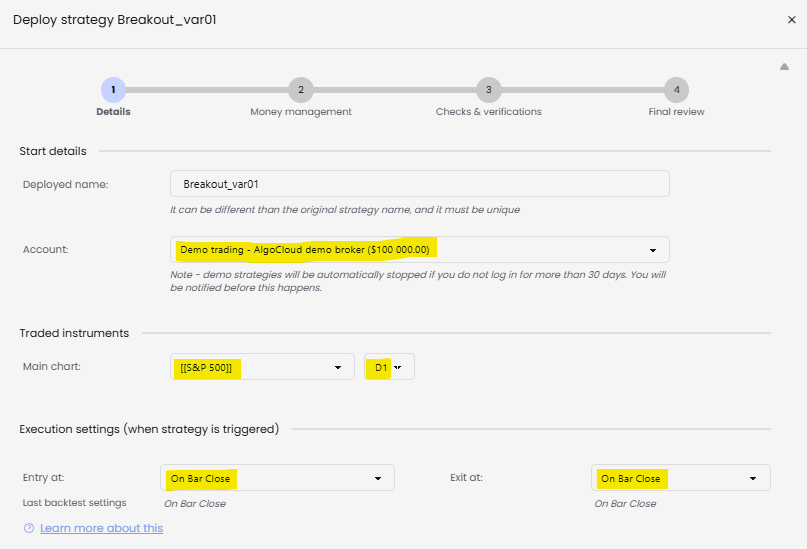
- Select the AlgoCloud demo account, check the market, and timeframe.
- Check the strategy entry and exit settings.
- Set the maximum number of open positions and the percentage of capital that the strategy will use. (This part was covered in detail in the previous money management article.)
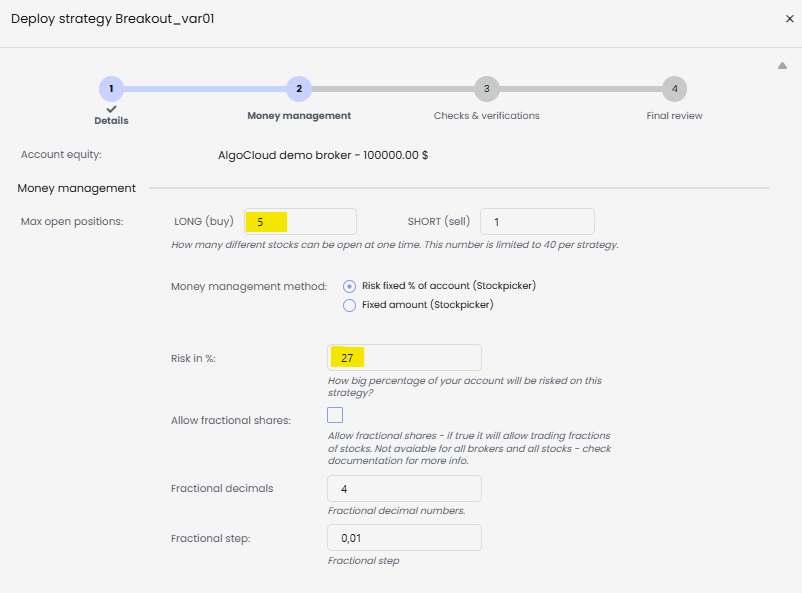
- Consider whether you want to allow fractional shares — leave off for now.
- On the next page, confirm various warnings (e.g., that the strategy trades at the end of the day, or that it violates the DayTradingPattern rule).
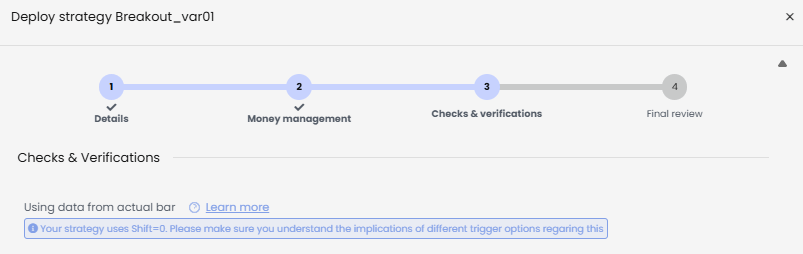
- On the last page you will see the strategy code — click on Start strategy.
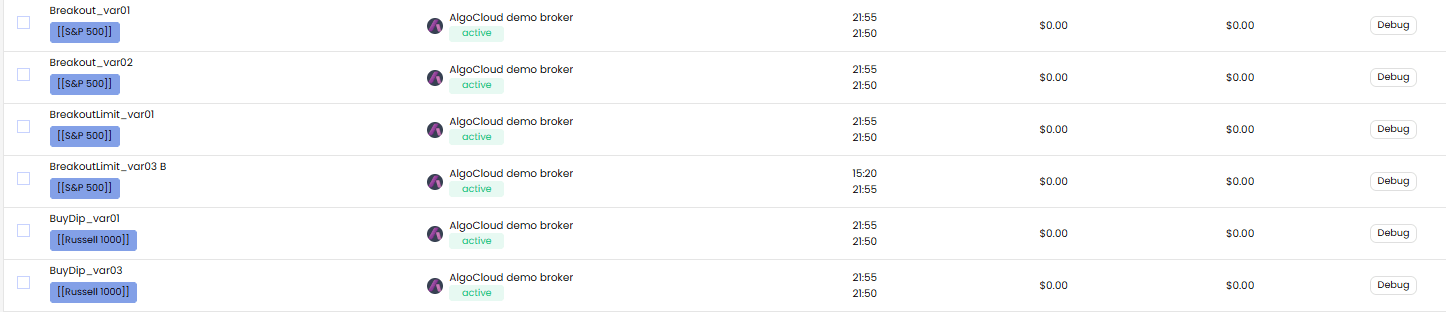
Done! The strategy is now active and ready to trade.
Deploying Strategies on an Alpaca Demo Account
For a more realistic simulation, you can also try deploying strategies on a demo account at Alpaca. Here’s how to set it up:
- Visit https://alpaca.markets.
- Click on Sign Up and set up a Trading API account. You will need two-step verification via a mobile authenticator.
- After logging in, click on the lama icon at the top left and choose Open New Paper Account. You can have up to 3 demo accounts.
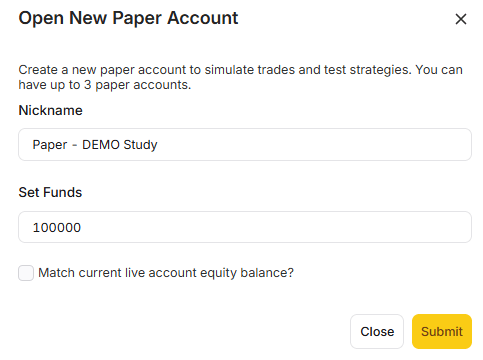
- Set the account name and initial capital to 100,000 USD, as with the AlgoCloud demo.
Then generate your access keys:
- API key
- API secret key
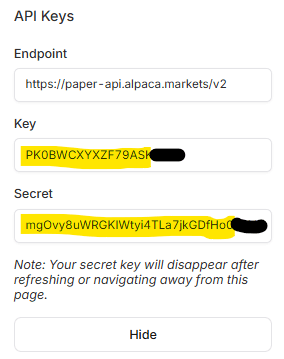
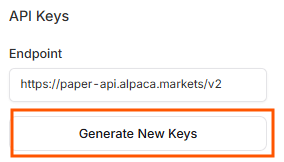
Now we will connect to the Alpaca account in AlgoCloud. As in the previous case, click on Live trading → Connected brokers → Link account.
Select the Alpaca account, and on the next page, write the account name and insert the generated API keys.
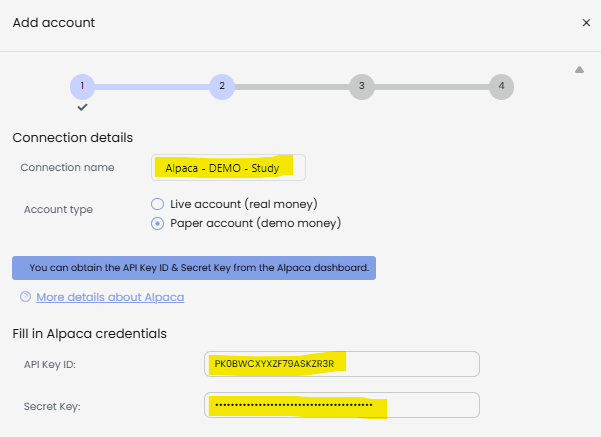
And that’s it — the account is connected. Run the strategy in the same way as with the demo account, just select the Alpaca account and edit the name of the strategy.

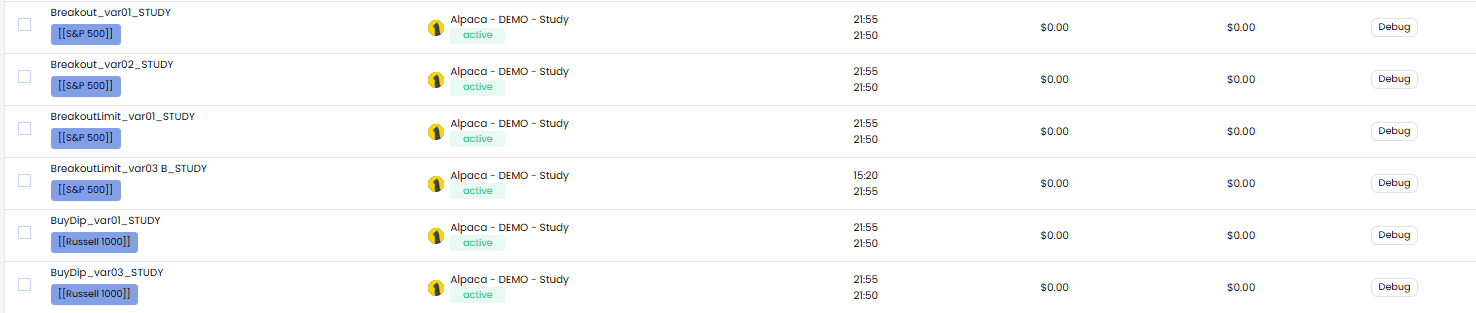
Summary: What’s Next After Deploying Strategies on a Demo Account?
We have taken the first step into the world of real trading with AlgoCloud. Our portfolio runs on demo accounts and now it’s time to see how the strategies behave in practice. We will do an evaluation in three months.
Until then, create new strategies, experiment, and test. Every idea that comes to your mind, try to translate it into AlgoWizard. And most importantly — follow this blog for more articles on strategies, robustness testing, filters, ideas and tips for building your trading system.
Good luck in trading!
Libor Štěpán
Libor’s Complete AlgoCloud Series
- How Much Money Do You Really Need to Start Real Trading?
- How AlgoCloud Helped Me with Profitable Trading
- A Simple Breakout Strategy: Detailed Analysis
- Breakout Limit Strategy: Detailed Study
- Russell 1000 Index: Buying Dips Strategy
- One Year with AlgoCloud & 50% Profit
- Building the First Portfolio
- Setting Portfolio Money Management